Show KeyPress
macOS keystroke visualizer on the Mac App Store: 3D mechanical keycaps, a glowing cursor halo, and a cat that types along.
Swift 6SwiftUIAppKitMac App Store
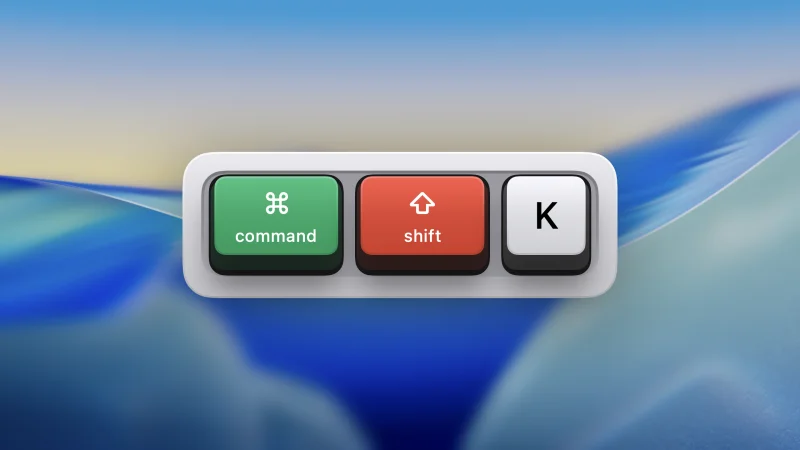
A macOS menu bar app that shows every keystroke on screen with skeuomorphic 3D mechanical keycaps — plus a glowing cursor halo and an animated cat that types along. Built for screencasts, live demos, streams, and screen sharing.
Sold on the Mac App Store as Show KeyPress. Features, guides, and a live keyboard demo at showkeypress.com.
Highlights
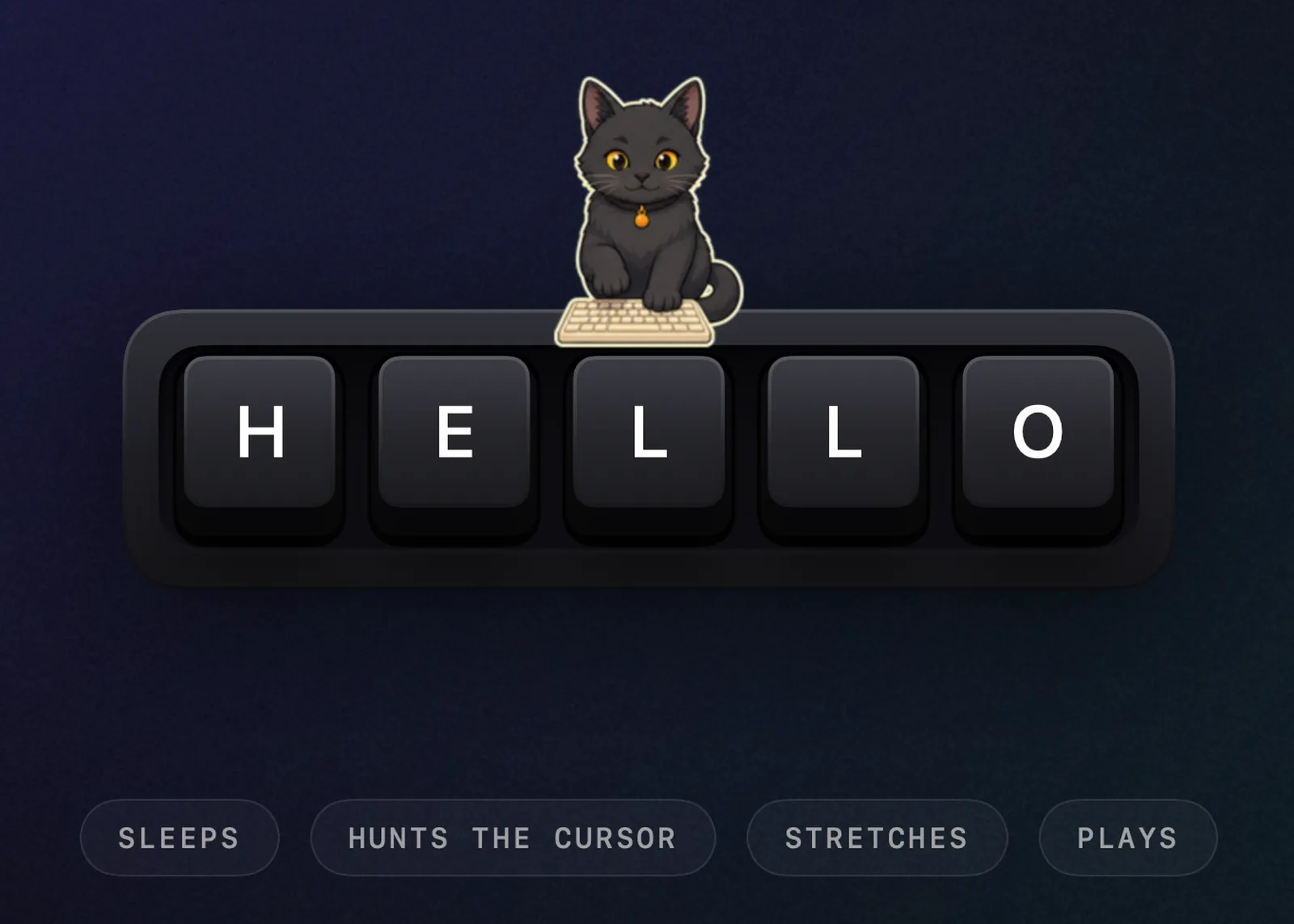
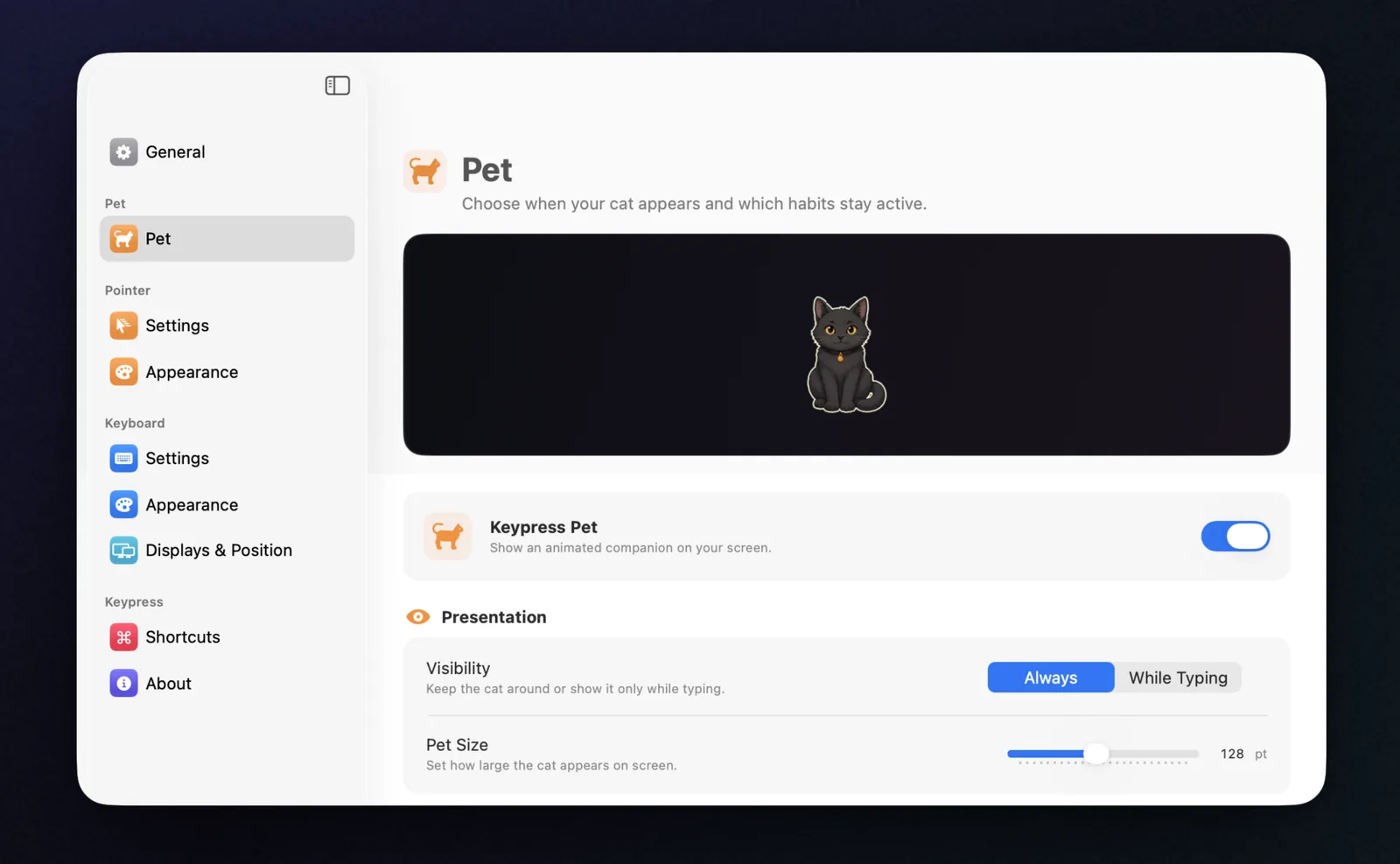
- Keypress Pet — an original draggable cat that types at your input speed, watches and hunts the cursor, sleeps, stretches, and plays
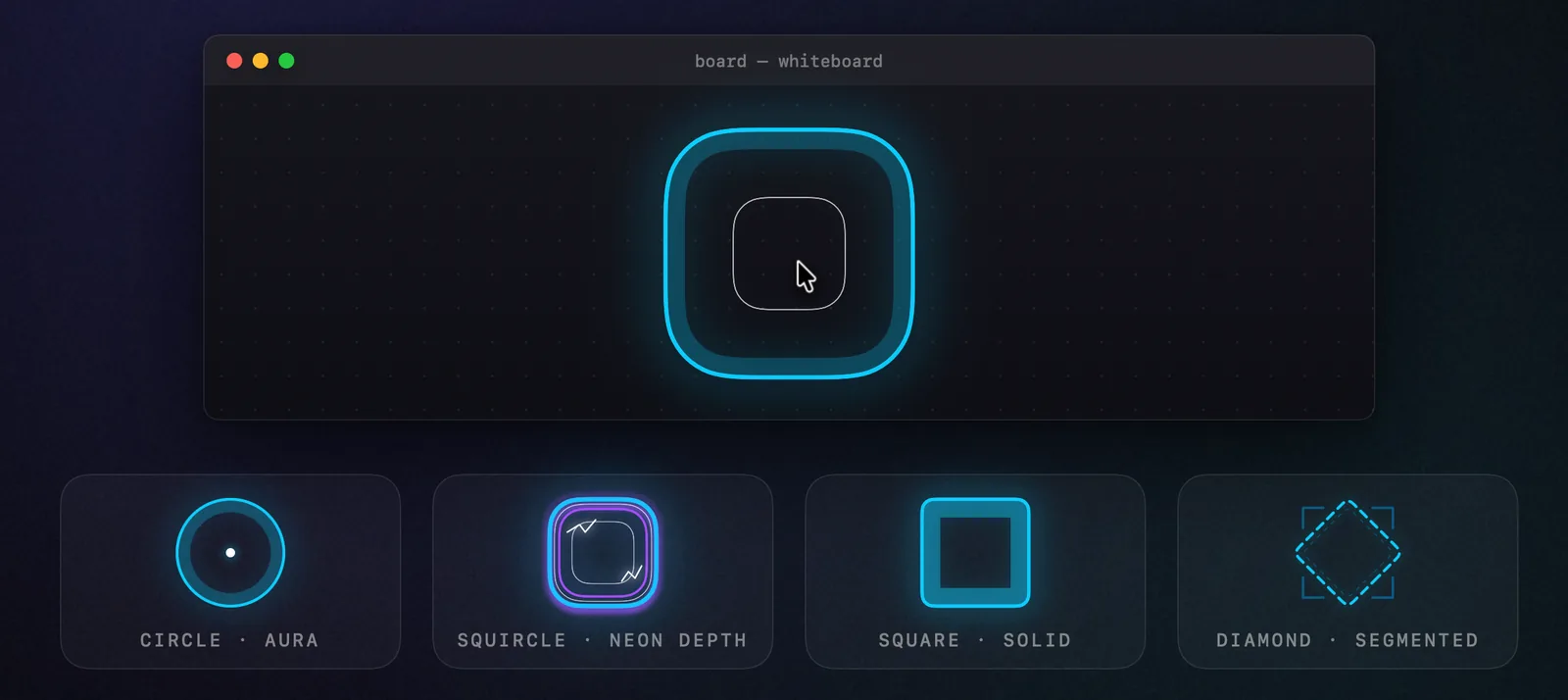
- Cursor Halo — customizable shapes, layered translucent contours, glow, and responsive motion for movement, clicks, dragging, and scrolling
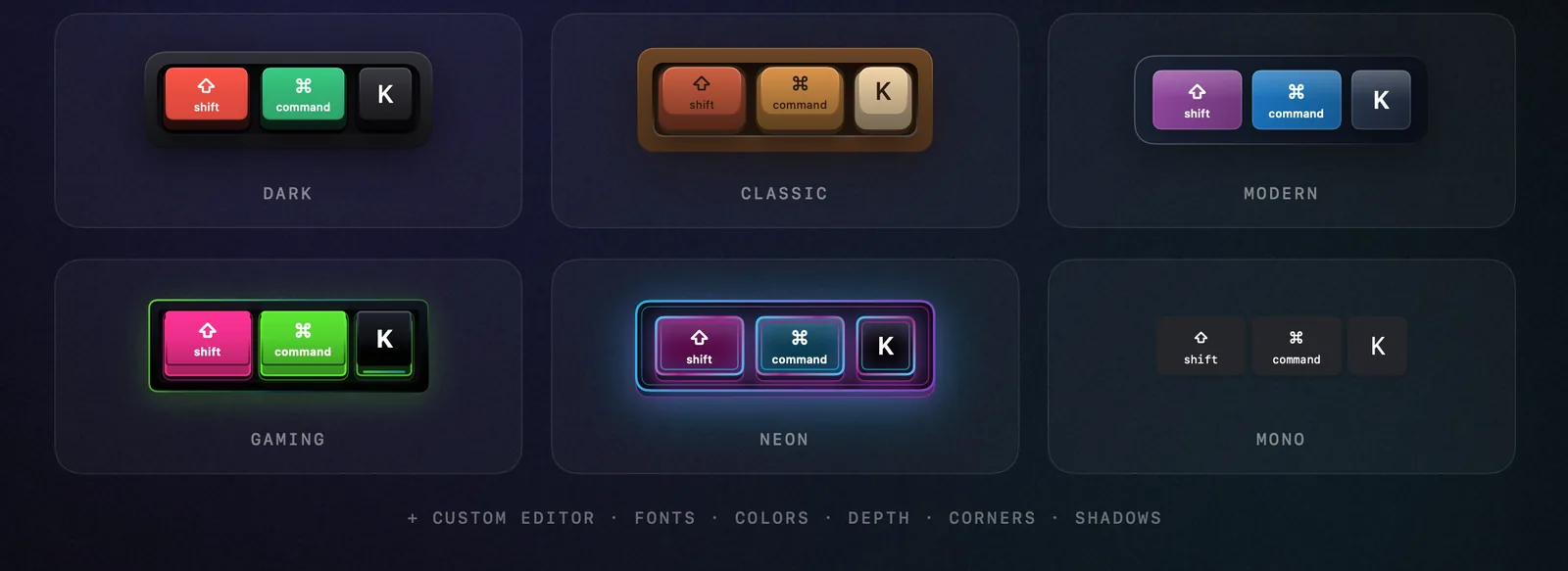
- 3 keycap styles — Mechanical (3D skeuomorphic), Flat, Minimal — with per-category color customization
- Three presentation modes — Latest, Horizontal History, and conversation-style Stacked History that groups continuous typing
- On-screen positioning editor — drag the real overlay on any connected display with snapping
- Native Studio settings — resizable sidebar interface with pinned live previews and separate keyboard and pointer theme galleries
- Cinematic onboarding — original sound, an interactive local preview, and guided Input Monitoring setup
- Input filters and global shortcuts — all keys or shortcuts only, everything toggleable without opening settings
- Live localization — English, Russian, German, Spanish, and French, switchable without restart
- Multi-monitor — auto-follow, fixed, or mirrored across selected displays with a saved position per screen
- Click-through overlays — only the pet accepts interaction
Screenshots
Tech Stack
- Swift 6 with strict concurrency
- SwiftUI + AppKit hybrid
- Swift Package Manager
- KeyboardShortcuts for global hotkeys
Source-available
The code is public under PolyForm Strict so anyone can audit what an app holding Input Monitoring permission actually does with keystrokes — while the app itself stays a paid Mac App Store product.
Requirements
macOS 14+ (Sonoma)